




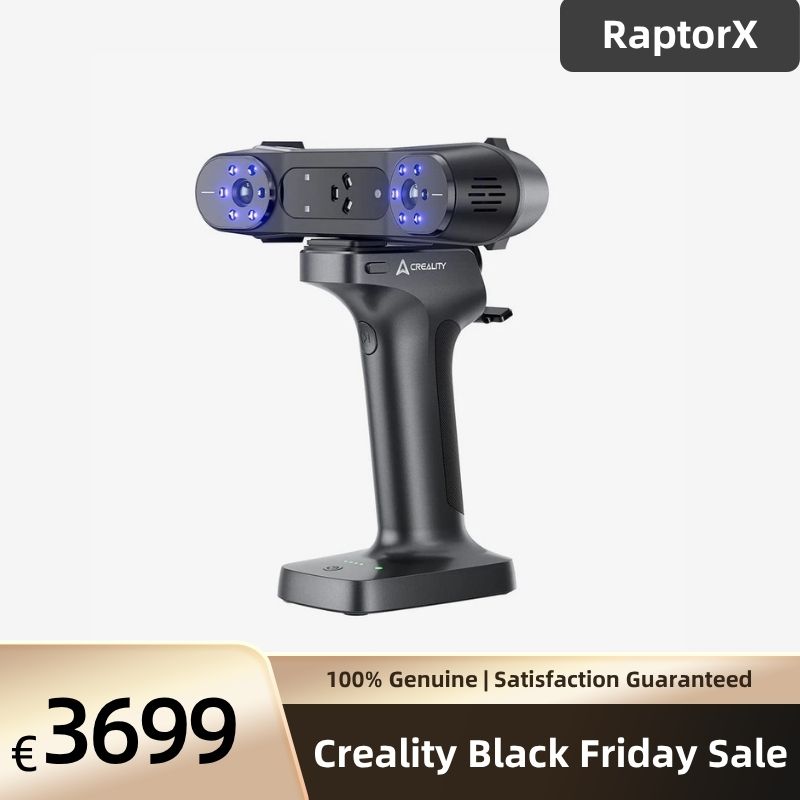


Creality CR-Scan RaptorX 3D Scanner
Shop Black Friday deals! Ships from Germany. Est. delivery 3–8 days after dispatch.
€ EUR
€ EUR
Creality RaptorX Handheld 3D Scanner
The Creality RaptorX combines 34 + 7 blue laser lines with NIR structured light for detailed parts, automotive components and object digitisation. Capture geometry with a 405 g scanner body and process models in CrealityScan. Connect by USB or use compatible Scan Bridge accessories for wireless PC scanning.
Features & Benefits
- 34 + 7 Blue Laser Lines: 34 cross lines for efficient capture of medium-to-large components; 7 parallel lines for fine features and local detail.
- Detailed Geometry Capture: Blue laser accuracy up to 0.02 mm, with volumetric accuracy of 0.02 mm + 0.06 mm/m under laboratory conditions.
- Fast Data Acquisition: Up to 60 fps in blue laser mode; cross-line capture up to 1,020,000 measurements/s. NIR scanning reaches up to 30 fps.
- Marker-Free NIR Scanning: Infrared structured light supports geometry and texture tracking on suitable objects, including sculptures, faces and bodies.
- Wired or Wireless PC Workflows: Use USB 3.0 for wired capture, or a compatible Scan Bridge kit for wireless transmission to a computer. Wireless accessories depend on the selected package.
- 405 g Scanner Body: Lightweight scanner body with physical controls, an indicator ring and IMU support. Scan Bridge and other attached accessories add weight.
- Colour and Material Versatility: Colour mapping is supported in all three modes. Many dark or metallic surfaces can be scanned without spray; difficult finishes may need preparation.
- CrealityScan Processing: Capture, align, fuse and mesh scan data in CrealityScan, then export for 3D printing, CAD reconstruction or compatible inspection software.
Applications
- Reverse engineering: Capture reference geometry for CAD reconstruction of parts, housings and brackets.
- 3D printing: Create meshes for replicas and prototypes, checking and repairing models before slicing.
- Art and heritage: Digitise suitable sculptures and feature-rich objects using NIR tracking.
- Quality inspection: Compare scan geometry in compatible inspection software after validating the required tolerances.
Technical Specifications
| Parameter | Parallel Blue Laser | Cross Blue Laser | NIR |
|---|---|---|---|
| Light source | 7 parallel blue laser lines | 34 cross blue laser lines | NIR structured light |
| Specified accuracy | Up to 0.02 mm | Up to 0.02 mm | Up to 0.05 mm |
| Volumetric accuracy | 0.02 mm + 0.06 mm/m | 0.02 mm + 0.06 mm/m | 0.05 mm + 0.1 mm/m |
| Acquisition rate | 420,000 measurements/s | 1,020,000 measurements/s | 3,580,000 measurements/s |
| Maximum frame rate | 60 fps | 60 fps | 30 fps |
| 3D resolution | 0.02–2 mm | 0.02–2 mm | 0.1–2 mm |
| Minimum scan volume | 5 × 5 × 5 mm | 5 × 5 × 5 mm | 150 × 150 × 150 mm |
| Working distance | 150–400 mm | 200–600 mm | 170–1000 mm |
| Capture-field example | 270 × 170 mm at 300 mm | 397 × 290 mm at 500 mm | 665 × 574 mm at 1000 mm |
| Ambient-light limit | Below 50,000 lux | Below 100,000 lux | Below 30,000 lux |
| Light-source classification | Class 1 | Class 2 | Class 1 |
Laboratory specifications; results depend on material, calibration, environment, settings and technique. Frame rates are maxima, not guarantees for wireless or mobile capture. Use NIR for face/body scanning and follow all laser safety guidance.
| Hardware | Specification |
|---|---|
| Dimensions | 215 × 50 × 74 mm |
| Weight | 405 g scanner body, excluding Scan Bridge and attached accessories |
| 3D imaging resolution | 1920 × 1200 |
| Colour mapping | Supported in all scanning modes |
| Supplementary lighting | 12 white LEDs; 12 blue LEDs for marker recognition |
| Motion sensing | IMU supported |
| Data connection | Type-C / USB 3.0 |
| Scanner input power | 12 V, 2 A |
| Wireless connection | Compatible Scan Bridge required; Wi-Fi 6 kit configuration applies |
| Software / desktop platforms | CrealityScan / Windows and macOS |
| Manual-listed export formats | OBJ / STL / PLY / ASC |
| Calibration | High-precision glass calibration board |
| Operating temperature | −10°C to 40°C |
| Operating humidity | 0–90% RH |
Computer Requirements
| Platform | Published Baseline | Recommended / Notes |
|---|---|---|
| Windows 10/11, 64-bit | Intel Core i7 7th generation; NVIDIA graphics with 6 GB VRAM; 16 GB RAM | Intel Core i7 10th generation or later; NVIDIA graphics with at least 8 GB VRAM; 32 GB RAM or more |
| macOS | Apple M1/M2/M3-series processor; at least 16 GB RAM, per published product specifications | More memory benefits large projects; check the current CrealityScan release for supported macOS versions |
Use USB 3.0 or faster for wired scanning. The recommendations above follow Creality’s published RaptorX specifications; current software requirements may change.
RaptorX vs Raptor Pro vs Sermoon P1
| Feature | RaptorX | Raptor Pro | Sermoon P1 |
|---|---|---|---|
| Workflow | PC-connected; wired or Scan Bridge wireless | PC-connected; wireless accessories as applicable | Standalone / PC |
| Blue laser patterns | 34 cross + 7 parallel | 22 cross + 7 parallel | 22 cross + 7 parallel + 1 single |
| Blue laser accuracy | Up to 0.02 mm | Up to 0.02 mm | Up to 0.02 mm |
| Blue laser volumetric accuracy | 0.02 mm + 0.06 mm/m | 0.02 mm + 0.08 mm/m | 0.02 mm + 0.06 mm/m |
| Maximum blue laser frame rate | 60 fps | 60 fps | 60 fps standalone / 100 fps wired PC |
Manufacturer specifications, not a controlled head-to-head test. Compare equivalent operating modes.
Package Contents: RaptorX + Scan Bridge Kit
The official kit packing list below applies to the Scan Bridge bundle. Check the selected package before ordering.
- RaptorX 3D scanner and high-precision glass calibration plate
- Scan Bridge wireless scanning / charging handle
- Quick-release mounting clip and magnetic phone holder
- Wi-Fi 6 USB wireless adapter
- Power adapter and plug adapters
- USB 3.0 scanner cable, Scan Bridge data cable and fast-charging cable
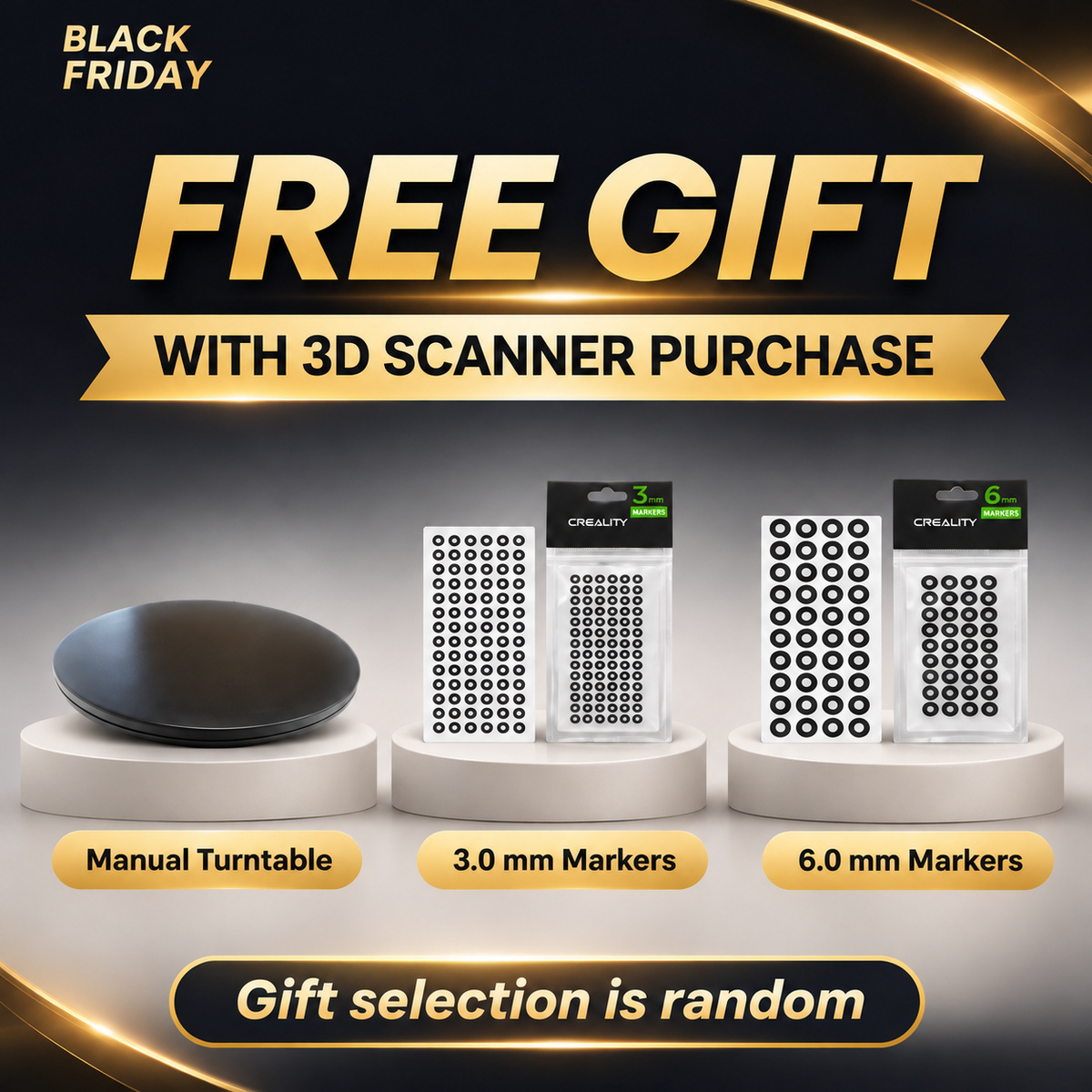
- Reflective markers: D6 mm × 40 sheets and D3 mm × 40 sheets, per manual
- Type-C adapter, cleaning cloth and lanyard
- Quick Operation Guide, certificate and warranty card
- Protective case
Frequently Asked Questions
Can RaptorX work without a computer?
RaptorX is not a standalone scanner like Sermoon P1. A compatible computer is the recommended workflow for full blue laser capture and processing; supported mobile functions depend on the app, scan mode and wireless accessories.
What do accuracy and volumetric accuracy mean?
Up to 0.02 mm is the specified blue laser accuracy under laboratory conditions. Volumetric accuracy also includes an object-size term: 0.02 mm + 0.06 mm/m. Neither guarantees finished-part tolerances; validate your complete workflow.
What object sizes can it scan?
Creality advertises blue laser object sizes from 5 × 5 × 5 mm to 4000 × 4000 × 4000 mm, and NIR from 150 × 150 × 150 mm to 2000 × 2000 × 2000 mm. These require multiple views, not one-frame capture.
How do the laser and NIR modes differ?
Use 34 cross lines for efficient overall geometry and 7 parallel lines for fine detail. NIR supports suitable organic shapes and marker-free geometry or texture tracking. Accuracy, resolution and light limits differ by mode.
Can it scan black, shiny or transparent objects?
Many dark and metallic surfaces can be scanned with blue laser without spray. Highly reflective, transparent or strongly light-absorbing surfaces may still need suitable preparation, controlled lighting or a different viewing angle.
Do I need markers?
Markers remain useful for reliable laser tracking. CrealityScan 4.3.2 release notes add marker-free scanning for the Raptor series in USB mode; confirm support in your installed version. Do not assume the same capability applies wirelessly. NIR can track suitable geometry or texture.
Does it work with Mac?
Yes. CrealityScan supports Windows and macOS. Check current software requirements and your computer specifications before purchasing; high-resolution scans and large datasets benefit from additional processing power and memory.
Is software included, and are there extra fees?
CrealityScan is available from the official download page for scanning and mesh processing. Optional third-party CAD, inspection tools or online services may have separate licence fees; check current terms for the tools you plan to use.
Is Scan Bridge included, and does wireless scanning need a computer?
Scan Bridge is supplied with the RaptorX + Scan Bridge kit, not automatically with every package. It provides battery power and wireless data transmission; it does not turn RaptorX into a standalone computing device. Confirm the selected bundle before ordering.
Can I use it outdoors?
Yes, within the selected mode’s published light limit: below 100,000 lux for cross laser, 50,000 lux for parallel laser and 30,000 lux for NIR. Shade and even illumination can improve capture; direct-sunlight results are not guaranteed.
Can I export models for printing or colour workflows?
Yes. The manual lists STL, OBJ, PLY and ASC exports. Inspect scale, missing surfaces and mesh completeness before printing. Colour capture is supported, while texture refinement and editable CAD reconstruction may require further work.
Can I request bulk or education pricing?
Contact the store with the quantity, delivery country and intended use to request a quotation. Education offers, volume prices and invoice requirements are confirmed individually; a discount is not automatic.
Explore More Creality Scanners
Raptor Pro: 22 + 7 blue laser lines · Sermoon P1: standalone scanning · Otter: infrared scanning
Official RaptorX manual · CrealityScan downloads · USB marker-free mode release notes


Based on 0 reviews
Write A Review
Ask A Question
