

Creality Falcon T1 Buying Guide: What Can You Make, and Which Version Should You Buy?
Want to personalise metal gifts, engrave wooden keepsakes or bring more custom work into your own workshop?
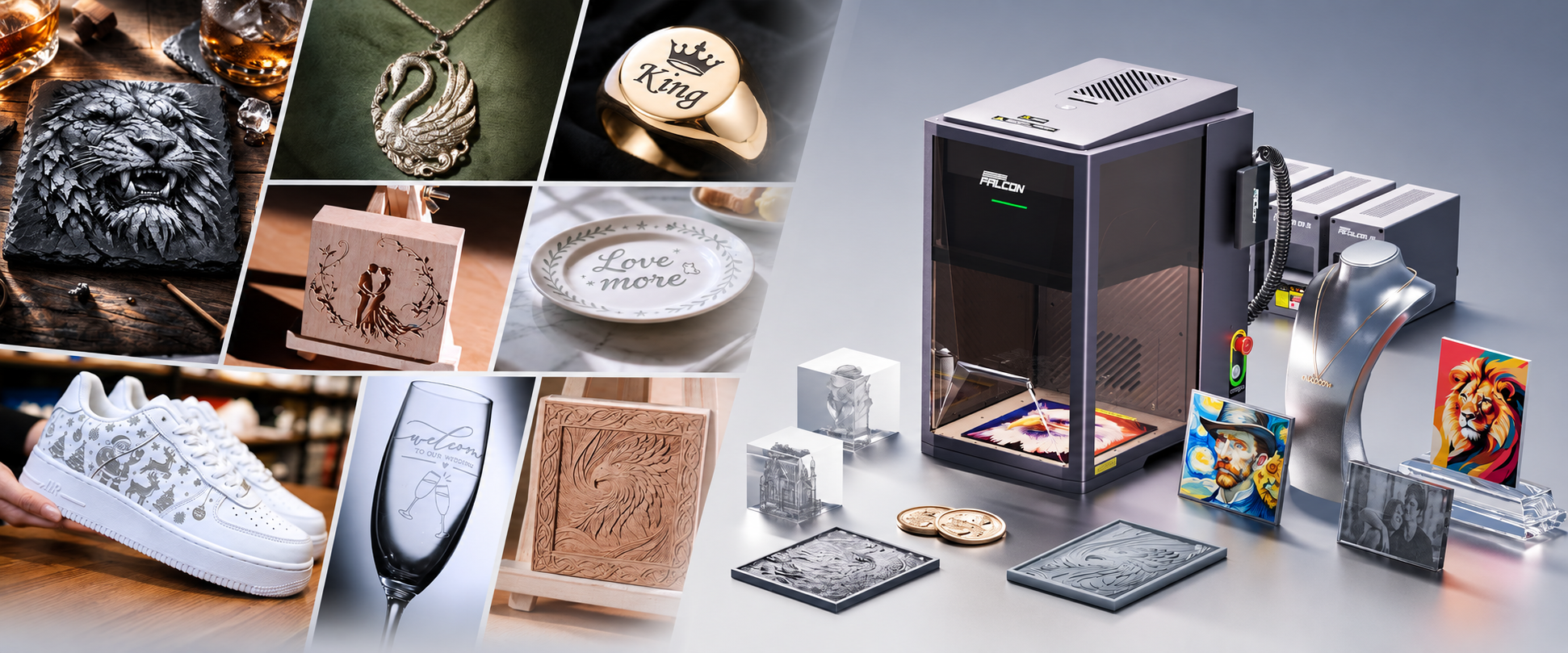
The Creality Falcon T1 is a modular desktop laser engraver that lets you choose a laser configuration for your current projects, with options to expand into other materials later.
The first step is choosing the right module. 20W Diode and 20W Fiber are different configurations for different applications—not two names for the same laser.
This guide explains what you can make, what you need to get started, and what to consider when choosing your configuration.
Start Here: What Do You Want to Make?
Choose your Falcon T1 around your intended products.
| What you want to make | Configuration to consider | What to confirm |
|---|---|---|
| Personalised wooden keyrings and gift tags | 20W Diode | Wood type, dimensions and desired finish |
| Engraved wooden coasters and small keepsakes | 20W Diode | Surface treatment and engraving settings |
| Metal pet tags and identification plates | 20W Fiber | Metal type, coating and required marking quality |
| Personalised metal keyrings and small plaques | 20W Fiber | Blank compatibility and design detail |
| Business logos on suitable metal items | 20W Fiber | Item dimensions, surface shape and positioning |
| Deeper metal designs | Fiber or MOPA, depending on the result | Material testing, processing time and module requirements |
| Specialised colour engraving on compatible metals | 60W MOPA | Metal type, surface condition and processing parameters |
| Specialised glass or crystal projects | Optional 5W UV configuration | Material compatibility, required accessories and supported workflow |
Choose based on your actual material, not just the product name. A wooden keyring, a coated metal keyring and a bare metal keyring may require different settings or laser configurations.
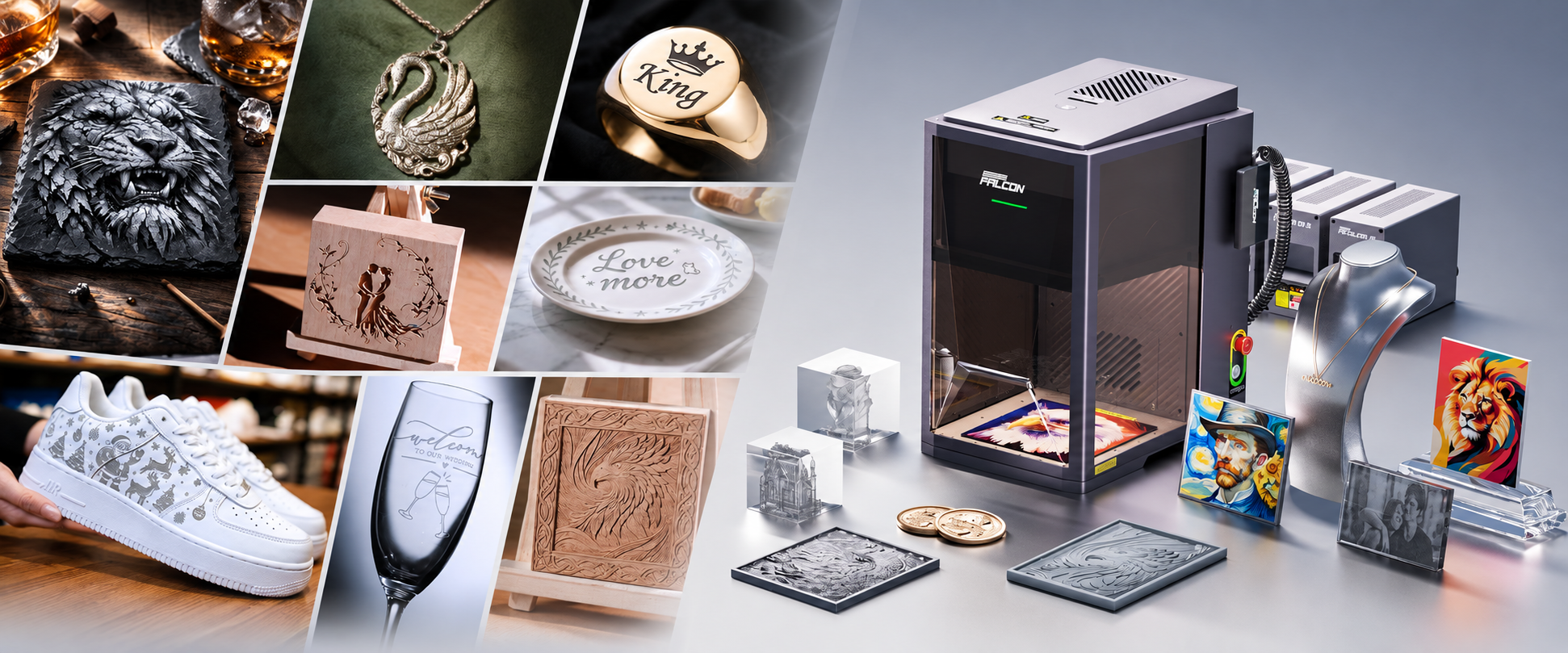
What Can You Do with the Falcon T1 20W Diode?
The 20W Diode configuration is a practical option for suitable wood-based gifts and small craft projects.
Create Personalised Wooden Gifts
Add names, dates, messages or artwork to compatible wooden blanks.
Possible projects include:
-
Wedding favour tags.
-
Birthday and anniversary keepsakes.
-
Wooden keyrings.
-
Personalised coasters.
-
Small decorative plaques.
-
Branded packaging tags.
You can use the same basic product and change the design for each customer, occasion or collection.
The benefit: you can turn suitable plain blanks into personalised products without needing a different physical tool for every name or design.
Make Small Branded Items
For a small business, personalised wooden items can become part of your packaging, product presentation or customer gifts.
For example, you could engrave your logo on a wooden tag or create a small thank-you keepsake to accompany an order.
The benefit: you gain more control over the design and timing of small custom batches.
What Should You Know Before Choosing Diode?
The Diode version is not a substitute for every other laser type.
Do not choose it expecting the same metal engraving capabilities as a Fiber module. Clear acrylic cutting is also not an appropriate application for the blue Diode configuration.
For cutting projects, confirm the material and thickness first. Compatibility with engraving does not automatically mean a material can be cut effectively.
What Can You Do with the Falcon T1 20W Fiber?
The 20W Fiber configuration is the more relevant choice for compatible metal marking and engraving.
Personalise Metal Tags and Keyrings
Create designs featuring names, contact details, dates, short messages or logos on suitable metal blanks.
Potential products include:
-
Pet identification tags.
-
Personalised keyrings.
-
Small identification plates.
-
Commemorative metal gifts.
-
Branded metal accessories.
The benefit: you can offer individual personalisation rather than selling only standard, unmarked products.
Before producing a batch, test the exact metal and surface finish you intend to use.
Add Logo Engraving to Your Services
If you sell gifts or provide customisation services, suitable metal products can offer another application for customer artwork.
A small company might request matching branded keyrings, while an individual customer might want a name or message on a single item.
The benefit: one compatible blank can support different customers and designs, helping you build a more flexible product range.
Bring Suitable Metal Work In-House
If you already outsource small metal engraving jobs, a Fiber configuration may allow you to handle suitable projects yourself.
This can give you more control over sample development, artwork revisions and production scheduling.
Whether it saves money depends on your order volume, labour, materials and equipment costs. Start with the work you already receive or have a clear plan to offer.
Can It Make Deep Engravings?
Fiber engraving can support more than simple surface marking, but deeper designs require appropriate settings and may take substantially longer.
Do not assume a detailed relief will finish as quickly as a name or logo. If depth is central to your project, request a relevant sample and processing time before choosing your configuration.
What Does “5-in-1” Mean?
The Falcon T1 platform supports five optional laser module configurations:
| Module | Main application direction |
|---|---|
| 20W Diode | Suitable wood and craft-material engraving and cutting |
| 40W Diode | An additional Diode option for compatible engraving and cutting tasks |
| 20W Fiber | Compatible metal marking and engraving |
| 60W MOPA | Specialised metal-processing applications, including suitable colour effects |
| 5W UV | Specialised processing of suitable glass, crystal and other materials |
“5-in-1” does not mean every package includes all five modules. It describes the platform’s expansion options.
Your machine’s capabilities depend on the module installed. Additional modules are purchased separately unless your selected bundle explicitly includes them.
Why Is a Modular Platform Useful?
You can start with a configuration for your current work and consider another module when you have a practical reason to expand.
For example, a workshop beginning with metal tags may later want to add suitable wooden gifts.
The benefit: you have an expansion path within the same platform, rather than choosing all your material capabilities at the beginning.
Check regional module availability and the total expansion cost before making that part of your purchase plan.
How Does the Falcon T1 Help with Everyday Work?
Position Designs on Small Products
For personalised items, placement matters. A name needs to fit the available space, and a logo should sit where the customer expects it.
The Falcon T1’s camera-assisted positioning helps you arrange artwork on the workpiece. Correct calibration and a preview check remain important, especially with small or valuable items.
What you gain: a visual way to prepare designs before engraving.
Repeat a Proven Product
Once you have tested a material and established suitable settings, you can use that workflow as the starting point for similar orders.
Change a name, date or logo while keeping the same compatible blank and layout.
What you gain: a more repeatable process for personalised product ranges. Material changes still require checks.
Develop Samples in Your Own Workshop
You can test different layouts, text sizes and design ideas before committing to a larger batch.
What you gain: more control over product development and a clearer way to show customers what they will receive.
What Size Products Can You Work On?
The published standard working area is 175 × 175mm.
This makes project size an important part of the buying decision. Small tags, keyrings and other compact products are natural applications, but you should measure the actual design and workpiece before ordering.
The engraving area is not the only limit. The item’s height, shape and any holding fixture also affect whether a job fits.
For larger items or specialised workflows, confirm the exact accessory requirements and supported processing area first.
What’s Included with Your Falcon T1?
The standard Falcon T1 machine package includes:
| Included Item | What It Does |
|---|---|
| Falcon T1 laser engraver | The main machine used for your engraving and supported cutting projects. |
| Laser module matching your selected configuration | Determines which materials and applications your machine can handle. |
| Interactive screen | Provides the machine’s on-device control interface. |
| Power adapter | Supplies power to the machine. |
| Power cord | Connects the power adapter to your electricity supply. |
Which Laser Module Will You Receive?
Your package includes the module specified in your selected configuration. For example, choose 20W Diode to receive that module, or 20W Fiber to receive the Fiber module.
“5-in-1” means the platform supports five module options—not that five modules are included.
Which Accessories Are Optional?
The conveyor, flexible fixture, rotary kit, 3D engraving riser, knife blade bed and air purifier are sold separately unless expressly included in your selected bundle.
Choose your module for the products you want to make, then add accessories required for that workflow. Your selected package’s contents list confirms exactly what you will receive.
Do You Need Extra Accessories?
That depends on the product you want to make.
| Your intended task | What to check |
|---|---|
| Engraving a small, flat item | Whether it needs a suitable fixture to hold it securely |
| Engraving around a cylindrical item | Compatible rotary accessory and supported dimensions |
| Producing repeated batches | Fixture or conveyor options, where appropriate |
| Working in an enclosed room | Suitable extraction or filtration arrangements |
| Adding another material capability | The required laser module |
| Specialised crystal internal engraving | UV configuration and any required supporting accessories |
Choose accessories around a defined project. You do not need every optional accessory simply because the platform supports it.
Is It Suitable for Someone New to Laser Engraving?
A new user can work towards producing personalised items, but should allow time to learn the software, material settings and safe operating procedure.
A sensible first project is:
-
Choose one supported material.
-
Use an inexpensive test blank.
-
Start with a simple name or logo.
-
Check positioning and focus.
-
Run a test and inspect the result.
-
Adjust the settings before making the final item.
Start with simple, repeatable products before moving into valuable customer items, deep engraving or specialised effects.
The enclosure does not remove the need for appropriate ventilation, supervision and manufacturer-recommended precautions.
Can You Use It to Start or Expand a Small Business?
The Falcon T1 can be used to produce suitable personalised goods, but the equipment alone does not create demand.
It is most useful when you can answer these questions:
-
What product will I offer?
-
Who will buy it?
-
Which module does it require?
-
How long does a finished item take?
-
What is the full cost of making and selling it?
Include blanks, labour, packaging, selling fees, rejected pieces and equipment costs in your calculations.
For an existing business, a strong starting point is a product customers already request. For a new business, test a small product range before investing in every expansion option.
Common Questions Before Ordering
Does the 20W Version Include Both Diode and Fiber?
Do not assume it does. “20W” describes power, not the number of included laser modules. Check whether your selected package is Diode, Fiber or an explicitly listed bundle.
Can One Module Process Every Material Shown on the Page?
No. Product demonstrations may show results from different modules. Match each example to the laser configuration used.
Can I Engrave Colourful Artwork on Any Metal?
No. The official product guidance specifies the 60W MOPA module for metal colour engraving. Results depend on the metal, surface condition and processing settings.
These effects are not equivalent to full-colour printing and should be tested for your specific application.
Can I Engrave Cups or Tumblers?
Some projects may be supported with an appropriate module and compatible rotary setup. Confirm the item’s material, coating, dimensions and accessory requirements first.
Will Every Job Run at the Advertised Maximum Speed?
No. Finished-job time depends on the design, material, required depth, number of passes and preparation. Ask for a sample time that resembles your actual project.
Can I Add Modules Later?
The platform supports optional modules, but confirm compatibility, regional availability and pricing before planning an upgrade.
Choose the Falcon T1 for the Products You Want to Create
The Falcon T1 gives you a way to create personalised products, develop samples in-house and build repeatable engraving workflows.
Choose 20W Diode for suitable wooden gifts and craft projects. Choose 20W Fiber for compatible metal personalisation. Consider other modules when a specific project justifies the expansion.
Start with one clear application and the right configuration. That is the most practical way to get useful results from your purchase.
Ready to choose your setup?
View the Creality Falcon T1 configurations and current availability.
If you are unsure which option fits, contact us before ordering with your material, item dimensions and an example of the result you want. Ask us to confirm the appropriate configuration and any additional accessories required.