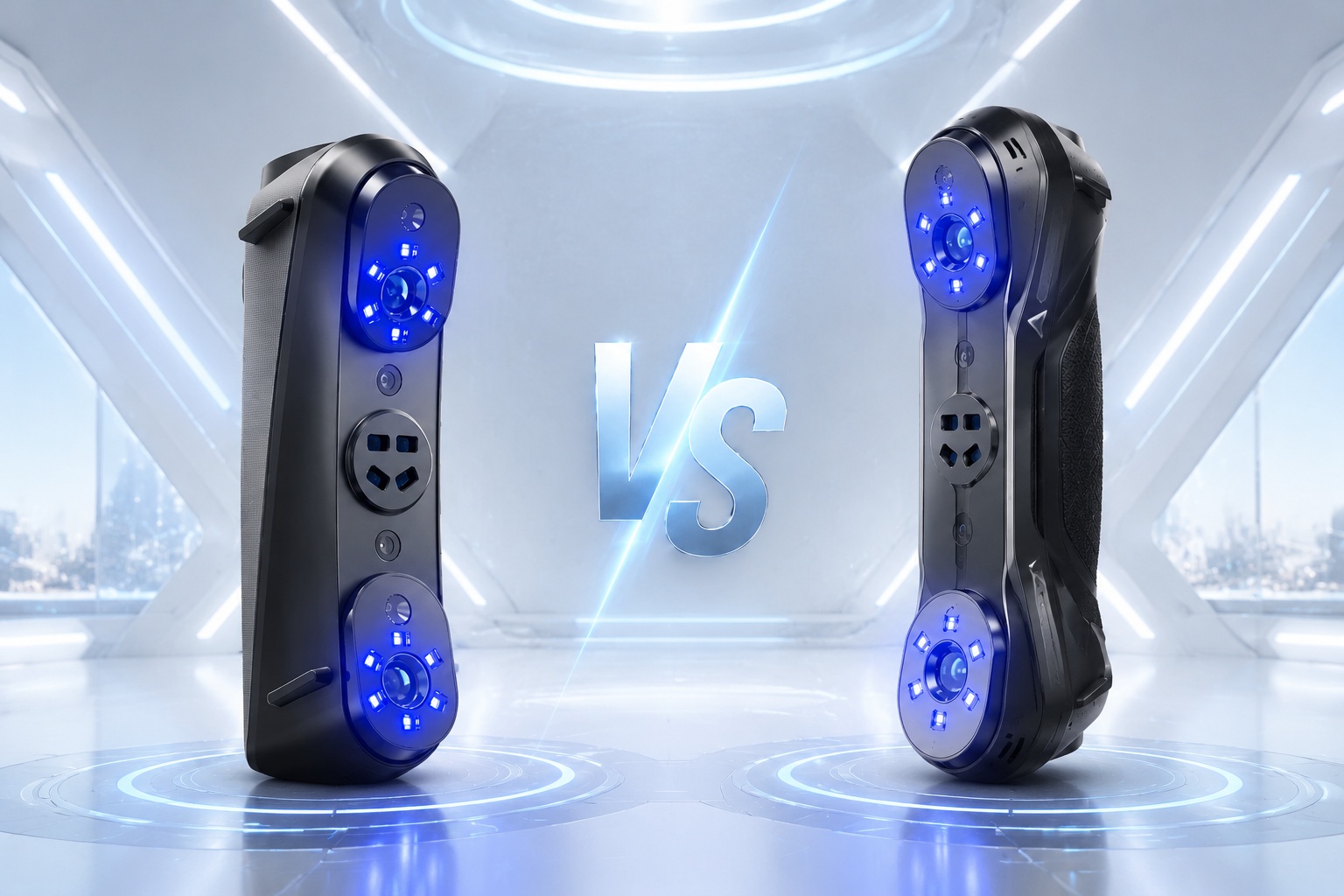




CR-Scan Otter vs Creality Pika: which scanner fits your work
At Creality's EU store the CR-Scan Otter lists at €969 and the Creality Pika at €719. Two hundred and fifty euros apart, both handheld, both Creality. The spec sheets make them look like the same product at two price points, and that reading will cost you money in the wrong direction.
They are not the same product. One is a bench instrument that expects a workstation. The other is a 260 g scanner that borrows your phone's processor and goes where you go. Choosing between them is mostly a question of where you scan, not which number is smaller.
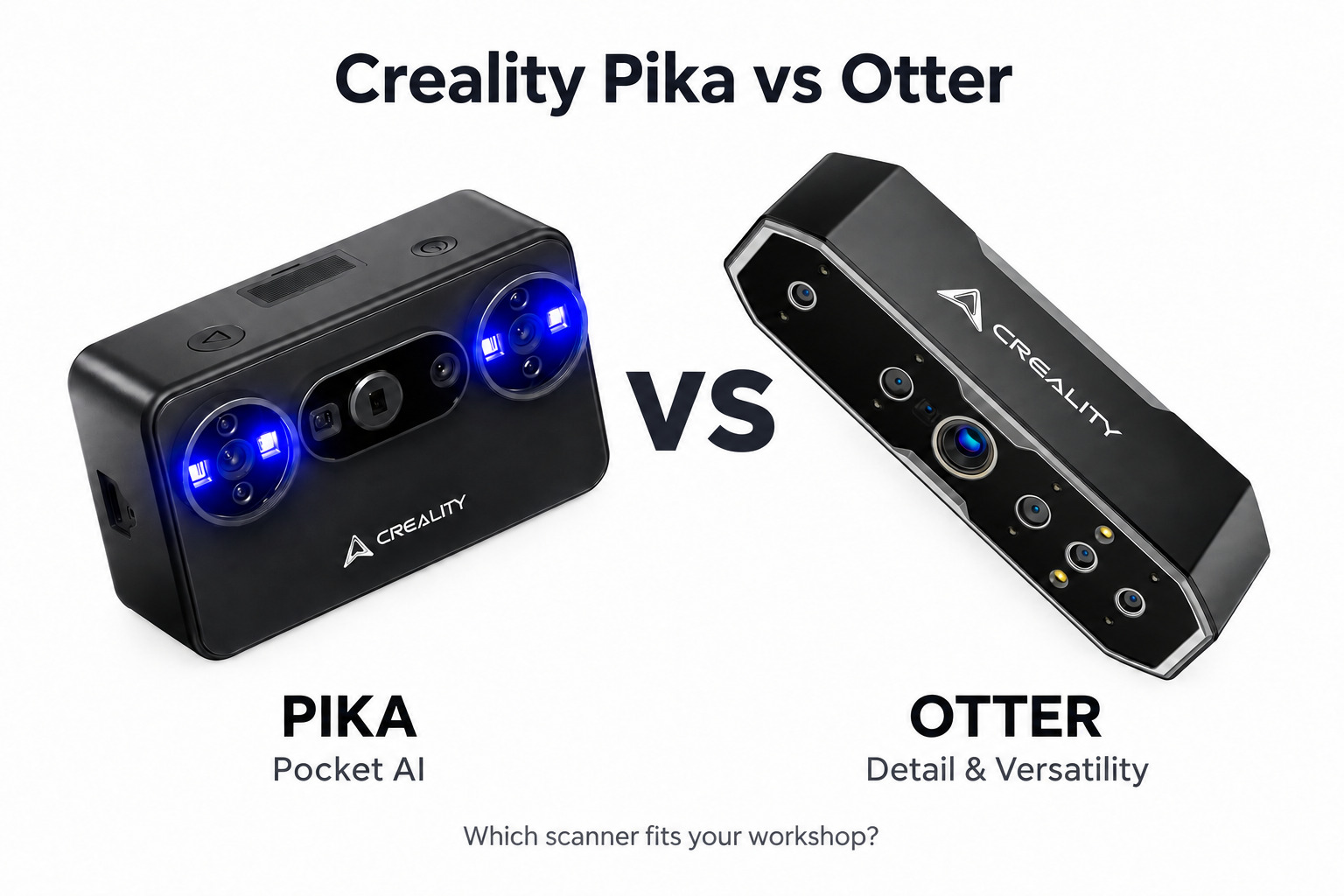
Left: Creality Pika, 260 g, blue laser and NIR in one body. Right: CR-Scan Otter, four-lens stereo, 0.02 mm at 60 mm working distance.
The short answer
Buy the Otter if your output gets measured. Reverse engineering, fixture verification, small mechanical parts, anything where someone downstream will put calipers on the result. It resolves 0.02 mm at 60 mm working distance, and it is the only one of the two that gives you geometry, marker and texture tracking in the same session.
Buy the Pika if your scanning happens away from a desk. Site visits, body and face capture, quick assets for printing or a game engine. It is smaller than a glasses case, runs on two swappable batteries, and handles black and metal parts without spray.
Specs, with the conditions attached
Creality's marketing pages quote peak numbers. Here is the same data with the mode and distance each figure belongs to.
| CR-Scan Otter | Creality Pika | |
|---|---|---|
|
Accuracy |
Up to 0.02 mm at 60 mm working distance |
Blue laser 0.03 mm (160–400 mm) / NIR 0.1 mm (140–1000 mm) |
|
Light source |
4-lens stereo, infrared structured light |
7 parallel blue laser lines + NIR structured light |
|
3D resolution |
0.05–2 mm |
0.1–2 mm (laser) / 0.15–2 mm (NIR) |
|
Working distance |
110–1000 mm |
160–400 mm (laser) / 140–1000 mm (NIR) |
|
Single capture |
Max 1350 × 840 mm at 1000 mm |
101 × 107 mm at 160 mm; 344 × 268 mm at 400 mm |
|
Object size |
10–2000 mm |
10–2000 mm; NIR needs at least 150 × 150 × 150 mm |
|
Frame rate |
Up to 20 fps |
Laser 110 fps on wired PC, 40 fps on phone; NIR 30 fps on PC, 20 fps on phone |
|
Tracking |
Geometry / marker / texture |
Marker / global marker / marker-free (marker-free is wired PC only) |
|
Outdoor light |
≤30,000 lux |
≤110,000 lux laser, ≤80,000 lux NIR with filter |
|
Power |
USB-C, 5V 3A, no internal battery |
2 × 3350 mAh swappable, Wi-Fi 6 |
|
Weight |
390 g |
260 g, 100 × 60 × 35 mm |
|
Needs a computer? |
Yes, Windows or macOS. Wireless needs an optional handle/Scan Bridge kit |
Yes, phone or PC. There is a screen, but no standalone processing |
|
Price |
€969 |
€719 |
What 0.02 mm actually buys you
It is one point, measured at 60 mm, in a lab. Over a 300 mm bracket the number holds up well. Over a two-metre car bumper, it does not, because every additional frame of alignment adds error and neither Creality page publishes a volumetric figure such as "0.02 mm + 0.06 mm/m".
The practical consequence: for parts that fit in your hand, the Otter's accuracy advantage is real and you can measure it. For body panels and boat hulls, the thing that decides your result is marker strategy and how many passes you can stitch cleanly, not the headline micron count. If your parts get measured across a metre or more, talk to us about the RaptorX, Sermoon P1 or Sermoon S1 instead: Creality publishes a volumetric accuracy figure for the Sermoon models, which is the number that survives distance.
The Otter: four lenses and a bench
The four-lens layout is the whole idea. A long-focal pair handles small parts up close, a short-focal pair covers wider fields for tracking, and the machine switches between them instead of asking you to buy two scanners.
In practice that means one session can cover a 10 mm gear and a 2 m panel. The 2 m panel needs global markers laid out first and several passes, so budget the time. The 8 infrared LEDs are there for marker recognition, and with the 24-bit colour pipeline the texture tracking handles surfaces that geometry tracking gives up on, fabric, carved wood, matte plastic.
Where it earns the price: 3D resolution down to 0.05 mm, which is finer than the Pika's 0.1 mm floor, and spray-free capture of black and metal parts. If you are reverse-engineering a bracket to re-mould or CNC it, that resolution and the 60 mm accuracy figure are the two lines that matter.
Where it costs you: 390 g in one hand for a long session, a cable to a PC, and no battery. The wireless handle exists and costs extra. This is a scanner you set up, not one you carry around.
The Pika: the phone is the computer
The Pika is 260 g, 100 × 60 × 35 mm, with a 3-inch 500-nit touchscreen and an 8-core chip that runs the interface. The scanning maths happens on whatever you plug in, which is why the box is this small and why "portable" needs a caveat: without a phone or laptop, the Pika shows you menus and nothing else.
What that trade buys:
Two light sources. Seven parallel blue laser lines for edges, dark plastic and machined metal, at 0.03 mm between 160 and 400 mm. NIR structured light for faces and bodies, where a laser pattern across someone's eyes is not the experience you want, and where the 0.1 mm figure is plenty.
Speed where it counts. 110 fps in laser mode on a wired PC is genuinely fast for handheld work, and it makes the difference between a scan that drifts and one that holds. On a phone you get 40 fps, which is still usable. On NIR you get 20 to 30 fps, which is the mode you will use for people.
Marker-free laser scanning. It works, and it is wired-PC only. On a phone you will be placing markers or relying on geometry.
Field tolerance. 110,000 lux in laser mode covers direct sun on a white bonnet. NIR with the filter fitted is rated to 80,000 lux. This is the reason a Pika goes to a site visit and an Otter stays in the workshop.
The AI layer is PC-only, and one piece of it has not shipped. AI Retexturing pulls high-resolution photos from a phone or camera and projects them onto the mesh, which is the fastest route to a usable textured asset. AI Hole Filling and AI Body Completion clean up what handheld capture misses.
Where it costs you: 0.03 mm instead of 0.02 mm, a 0.1 mm resolution floor, and no geometry tracking mode. Fine details on small mechanical parts are the Otter's territory.
Which one, by job
Reverse engineering, jigs, fixtures, anything with a tolerance drawing: Otter. The 60 mm accuracy and 0.05 mm resolution are the reason, and you already own the PC.
Mixed-size work in one workshop, gears in the morning and a bumper in the afternoon: Otter. One device, one calibration routine, no second purchase.
Automotive inspection on site, accident damage, panel gaps: Pika. The lux rating and the battery matter more than two hundredths of a millimetre.
Character work, faces, clothing, props for print or engine: Pika. NIR is safer and faster on people, and the AI retexturing step saves an afternoon.
Teaching, demos, trade shows: Pika. It fits in a jacket pocket and starts scanning in under a minute.
Scanning only small parts, under 150 mm, with a tight budget: neither. A turntable-based desktop scanner will beat both on resolution per dollar.
Two things buyers get wrong
"It scans black and metal without spray." Both do, within limits. Mirror-polished chrome, clear polycarbonate and very dark matte rubber still lose frames. A light dusting of developer spray or foot powder fixes it in seconds. Neither vendor's claim is false; both are conditional.
"It's wireless, so I don't need a computer." The Pika needs a phone at minimum, and its AI features need a PC. The Otter needs a PC unless you buy the wireless kit. Budget the phone or laptop into the purchase, and check the minimum spec: Snapdragon 8 Gen 2 with 8 GB on Android, A15 with 6 GB on iPhone, and note that iOS does not support a wired connection at all. On Windows, Creality asks for a 7th-gen i7, 8 GB of VRAM and 16 GB of RAM as a floor.
FAQ
Is the Otter more accurate than the Pika? On paper, yes: 0.02 mm at 60 mm against 0.03 mm at 160–400 mm in laser mode. The gap is real for small parts and effectively disappears on anything larger than a shoebox, where alignment error dominates.
Can the Pika scan a person's face? Yes, in NIR structured light, which is Class I eye-safe. Minimum volume in that mode is 150 mm cubed, so heads and bodies work and small props do not.
Does either scanner work without a computer? No. The Otter needs Windows or macOS, with an optional wireless kit for phone use. The Pika needs a phone or PC; its touchscreen controls settings, it does not process scans.
What file formats do they export? STL, OBJ and PLY on both; the Pika also exports ASC.
Which is better for 3D printing? For small mechanical parts, the Otter, because 0.05 mm resolution captures features that a 0.1 mm floor rounds off. For organic shapes, props and people, the Pika is faster end to end and the AI cleanup closes the gap.
Do I need to calibrate them? Both ship with a glass calibration board and both want a calibration pass after transport or a knock. Budget ten minutes.
Before you order
Tell us what you plan to scan, roughly how big it is, and whether the result gets measured. If it does, and the span is a metre or more, we will point you at a different machine rather than sell you the wrong one. If it does not, either the CR-Scan Otter or the Creality Pika will do the job, and the deciding factor is whether you work at a bench or in a car park.
We stock both, carry the official warranty, and ship free from our warehouse in Germany. Delivery is 2 to 7 days across the EU.